How to Share Your College Acceptance
Athletes get a graphic when they commit. Students who get into college deserve the same kind of announcement. Here's how to share yours.
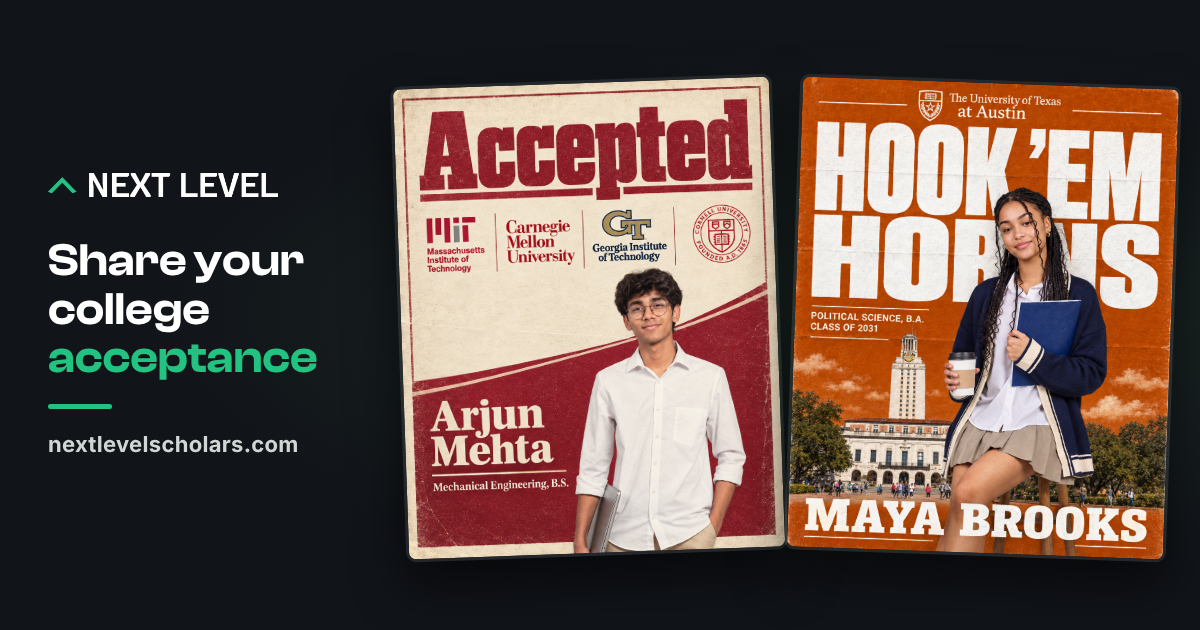
When an athlete commits, there's a graphic. The school colors go up, the photo goes up, and the whole town knows by lunch. When a student gets into college, the news usually goes out as a photo of a laptop screen or an envelope on the kitchen table.
Getting in took years of work, and it deserves the same kind of announcement. Here's how to share your college acceptance in a way your friends and family will want to see, and that you'll still like looking back on.
Decide what you're announcing
There are two different moments, and each one gets its own post.
The first is the acceptance itself. You opened the letter, and you got in. Some students wait until every decision is back and share them all at once. Others post each school as it comes in. Either works. Posting everything at once keeps your feed from turning into a running scoreboard, and posting one at a time lets you enjoy each yes when it happens.
The second is the decision: where you're actually going. That's the announcement most people are waiting for, and it's the one to save for when you've made up your mind.
Put the school first
Lead with the news. Something like "I've been accepted to [School]" or "Excited to share that I'll be attending [School] this fall" tells people what happened in one line. Use the school's full name the way the school writes it, and tag the school's admissions or class account if it has one.
If you're sharing more than one acceptance, list the schools without ranking them. Every school on that list said yes to you, and the people who helped you apply will be glad to see all of them.
Thank the people who helped
Teachers who wrote recommendations, a counselor who kept you on deadline, a parent who drove you to campus visits, a friend who read your essay three times. Naming one or two of them by name means more than a general thank-you to everyone.
Keep it about you, not a contest
The way to share good news without it reading as bragging is to stay specific to your own path. Say what you're excited to study, or what made a campus feel right on your visit. Leave out test scores and anything that compares you with classmates. Some of your friends are still waiting on letters or got news they didn't want, and a post about your plans is one they can cheer for.
Make it look like it matters
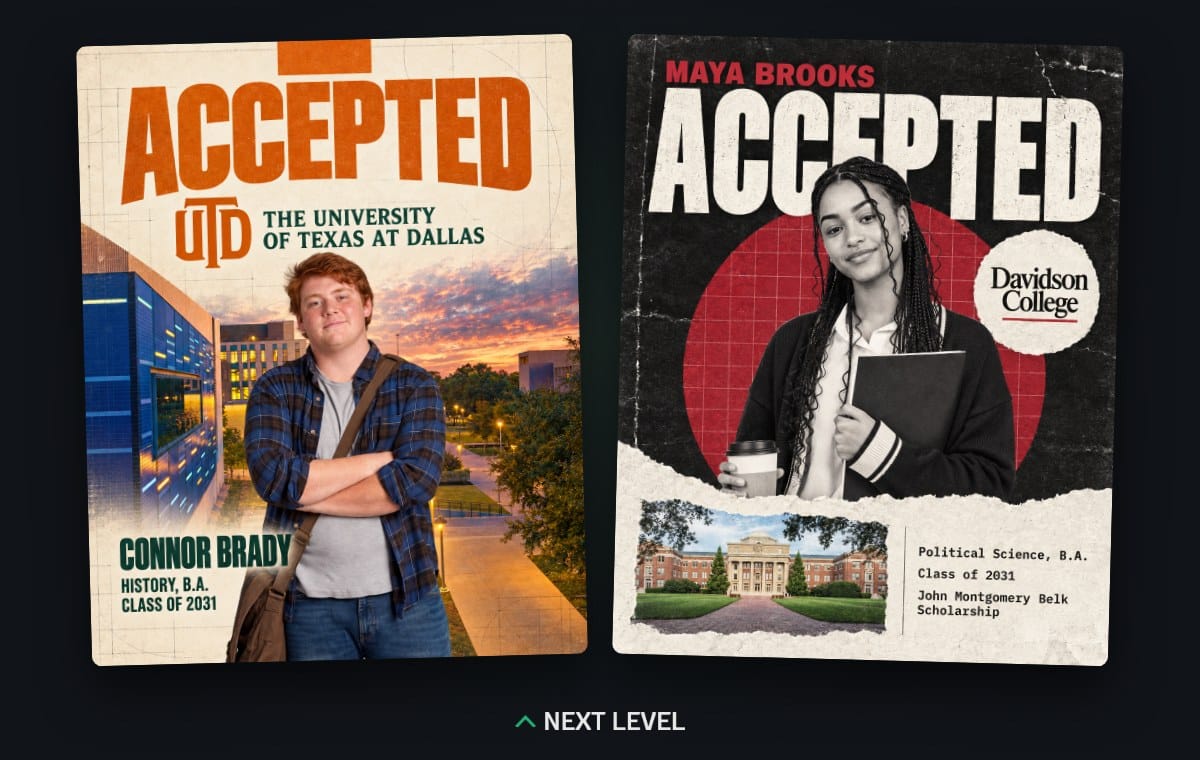
Athletes have had commitment graphics for years, with a big headline across the top in their school's colors. Students are now getting their own version.
Next Level Scholars is our new sister site to Next Level Edits, built for acceptances. You add your photo and your schools, pick a design vibe, and get a graphic with "Accepted" across it in your school's colors. If more than one school said yes, one graphic can hold all of them, each in its own colors. When you've decided, there's a separate graphic for where you're enrolling.
A few details that help:
- You can preview a design for free before you pay anything, and there's no subscription.
- You can add a photo of yourself in your new college hoodie.
- Graphics resize for a story, a feed post or a banner.
- Parents can make one for their student, and the same account works on Next Level Edits.
Normally $15. Use code CLASSOF27 at checkout through January 31, 2027. Preview your design free first.
Before you post
Check that every school name is spelled right and that you're using the school's own colors and logo. Make sure your photo is one you'll still like in four years. Then share it, and enjoy the comments.
Athletes have had the big announcement to themselves long enough. You earned yours, so share it.